
How to Choose Your Instagram Business Account Category?
With 2Billion active users, Instagram is an incredible growth opportunity available for the taking.
Setting up a proper Instagram business account has many steps. Choosing the right business category for your Instagram business account is one among them.
In this article, we’ll discuss how to choose the right category for your Instagram business account.
You’ll also learn the steps to update the category in your Instagram business account; with the complete list of all the Instagram Business Account categories.
Why Should You Add a Business Category on Instagram?
A business category on your Instagram account will help people find your business on the platform.
Adding a category displays the industry/niche your business belongs to below your Instagram profile name. That’s the direct purpose.
Does adding a Category Help You Get More Audience?
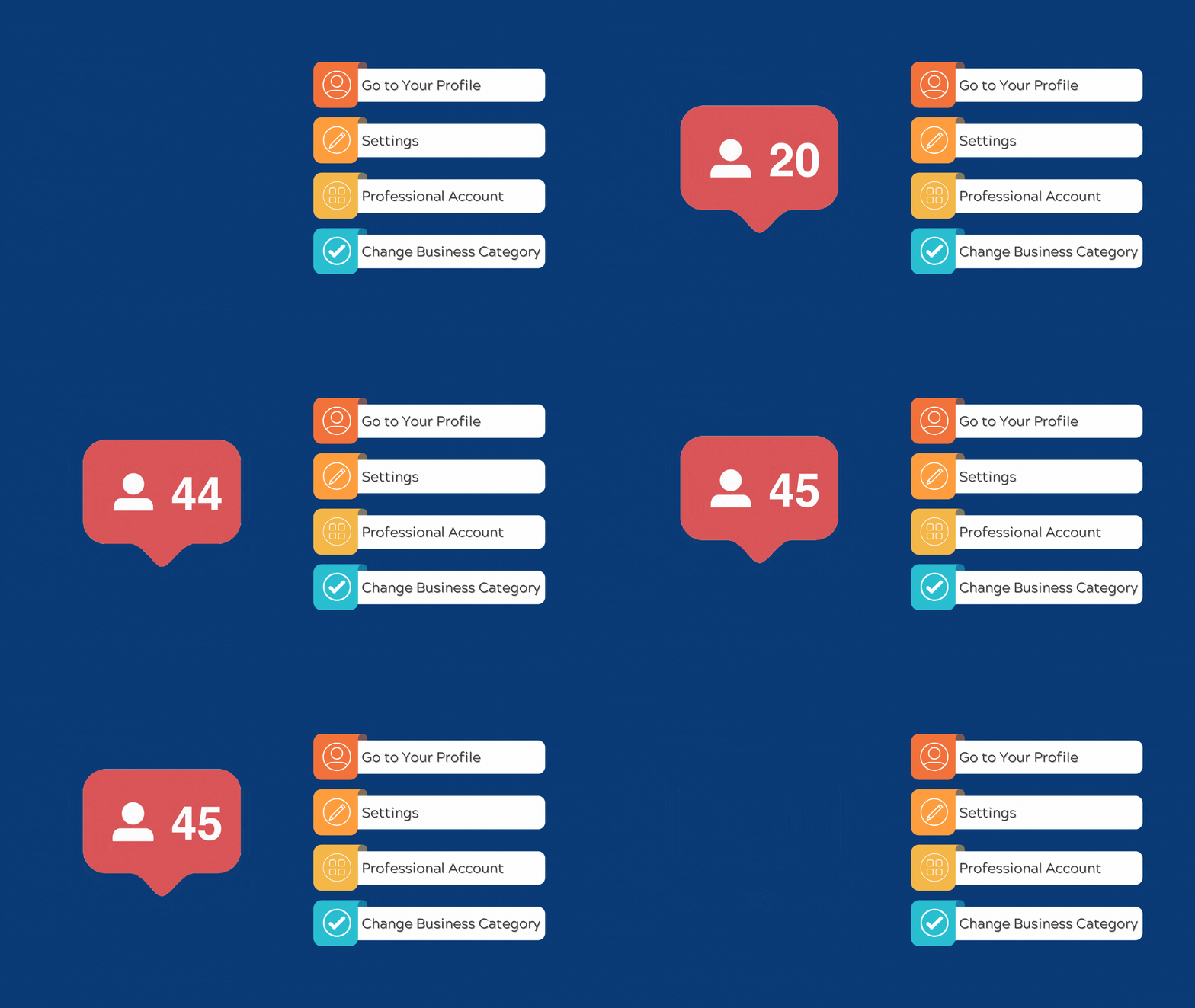
Though not officially confirmed, adding your business category can help you reach a larger and better audience.
Instagram offers tailored content to users in its explore section based on their interests.
For example, if a user likes or engages with a post about, say classic American muscle cars, they are more likely to see similar content. It could be posts of classic cars like Mustang, Charger, and Chevelle and their restoration, etc.
If you are in the car detailing or restoration business, you can publish your works on the platform. Such content-driven marketing will help you reach a more relevant audience.
How long before you go viral on Instagram by updating your category?

Adding a business category does not guarantee going viral on the platform.
However, with the advent of short video content like Reels, going viral on Instagram can be unbelievably quick.
You could see significant improvement in reach and engagement in a matter of days—sometimes hours. But your chances are higher if you keep giving Instagram a better context of your profile. In this case, your business.
It includes signals such as your Instagram username, profile display name, description, hashtags in your posts, posting consistently, and of course your business category.
By adding a category, Instagram can better understand your profile. Eventually, it will help the algorithm to promote your content to the interested people, i.e., your target audience.
Adding Your Instagram Business Account Category
Adding a category to your business profile on Instagram is simple and straightforward.
But you can add a category only if it’s a professional Instagram account. It can be a business account or a creator account.
When you create an Instagram account, it is created as a personal account by default.
Once you switch to a professional (business/creator) account, you will have the option to add a category to your Instagram account.
Switching to an Instagram Business account
If your Instagram account is still a personal account, here are the steps to change it into a professional (business/creator) account.
Step 1: Log in to your Instagram Account
Step 2: Go to your Profile
Step 3: Click “More” > “Settings”
Step 4: Click “Switch to professional Account” in Menu on the left
Step 5: Choose Account Type. i.e., Business Account
Step 6: Click “Next”
Step7: Search and Select Your Business Category
Step 8: Check “Show Category on Profile”
Step 9: Click “Done”
Step 10: Review (or update) your Business Contact info
Step 11: Check “Show Contact info on profile”
Step 12: Click “Save” (or “Don’t use my contact info”)
Step 13: Click “Done”
Easy as a breeze!
But one challenge that you might encounter is choosing the appropriate category for your business on Instagram. It is because Instagram lists more than 1000 categories for businesses of all shapes and colors.
Also, if you are a startup still figuring out where your business belongs or a business offering a range of services, the niche categories may not fit yours.
Popular Instagram Business Categories
In the beginning, you may be unsure about the category. Or a customer survey may take a while.
You can pick any of the broad popular business categories and proceed to set up your Instagram business profile and start right away.
Choosing the right category for your Instagram business account is essential. It helps you reach the right audience and get more engagement.
Once you switch to a professional (business/creator) account, you will have the option to add a category to your Instagram account. You can always change it when you have better clarity on how your audience sees your business.
Here are the popular Instagram business categories.
Arts & Entertainment
Business Services
E-commerce Website
Education
Health & Beauty
Hotel & Lodging
Internet Company
Media
Medical Center
Non-Profit Organization
Product/Services
Public Figure
Restaurants
Real Estate Company
Sports
You may choose one of these categories for your business for the time being. But, you can always change it when you have better clarity on how your audience sees your business.
Here’s how to identify the right category for your business on the platform.
Finding Your Instagram Business Account Category
It is unlikely that you won’t find a category that describes your business. However, it matters whether you pick the right category for your business or not.
How you view your business is often different from how your target audience sees your brand.
It is a likely scenario if you’re in the early stage and still in the process of defining your ideal customer profile.
And as long as there exists a difference in that aspect, your marketing efforts will continue to be less optimal.
Tips to Choose the Best Instagram Business Category
The effective way to choose the best Instagram Business Account category is to figure out how your existing repeat customers define your business.
Define how you want to present your brand to your audience. Open your Instagram account, search, and shortlist all the categories related to your business.
If you have loyal repeat customers, reach out to them. Conduct a simple online poll or a customer survey. Ask them to pick and choose which category would best fit your business.
You can also make it a part of your branding or marketing strategy by involving your loyal customers in the decision-making process.
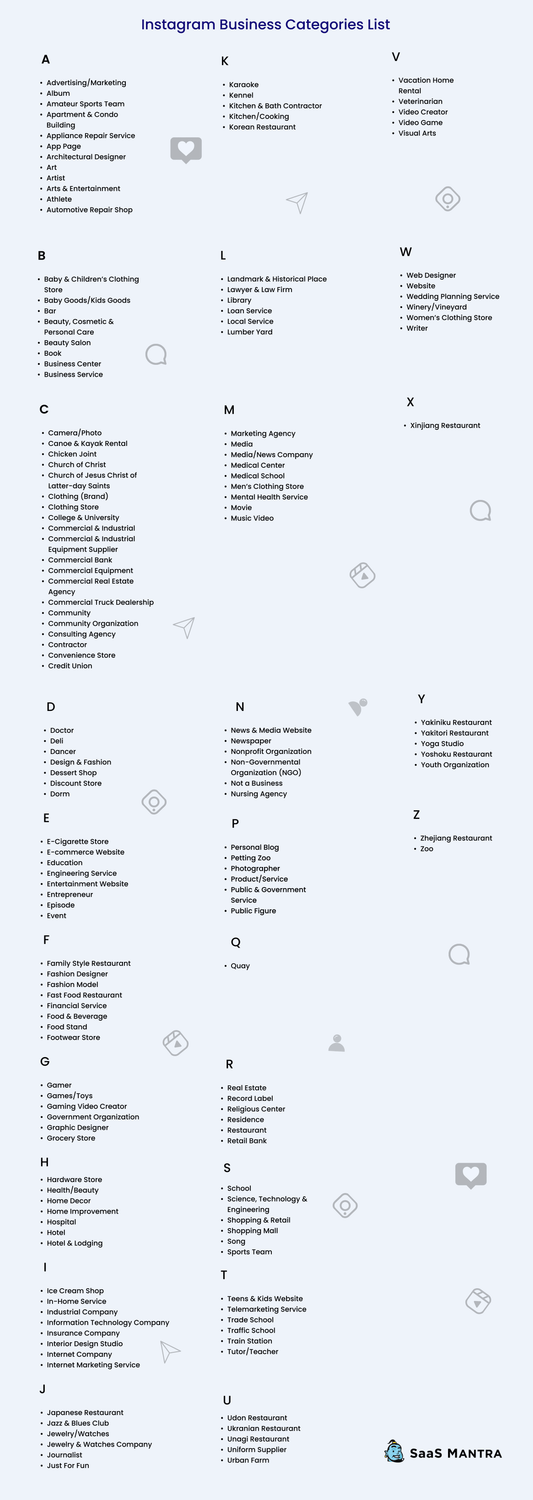
Here is a list of all business account categories for all types of businesses.
List of Instagram Business Account Categories [2023]
Steps to Update Instagram Business Category
Step 1: Go to your profile
Step 2: Click “Settings”
Step 3: Click “Professional Account”
Step 4: Click “Change” under Category
Step 5: Search and select your preferred Business Category.
Step 6: Click “Done”
Step 7: Click “Submit” to save changes
The Bottom Line
Adding or updating your business category is a simple yet rewarding for your Instagram account. It is a one-time action that will help your Instagram marketing indefinitely.
Give your audience and Instagram a better understanding of your business to help your Instagram marketing efforts.
Set up your Instagram business account, optimize your Instagram marketing, and make Instagram a high ROI marketing channel for your business.
FAQ – Instagram Business Account Categories
The best way to choose an Instagram business account category is by asking loyal repeat customers. You can take a customer survey or conduct an Instagram poll.
No. You must switch to a professional (business/creator) account to add a category to your Instagram account.
STAY CONNECTED WITH US





Copyright © 2025 SaaS Mantra. All rights reserved.